Done-for-You Job Search: How Working Professionals Get Software to Apply for Them
What a done-for-you job search can safely hand off, what still needs you, how to job hunt quietly while employed, and a 15-minute weekly routine.
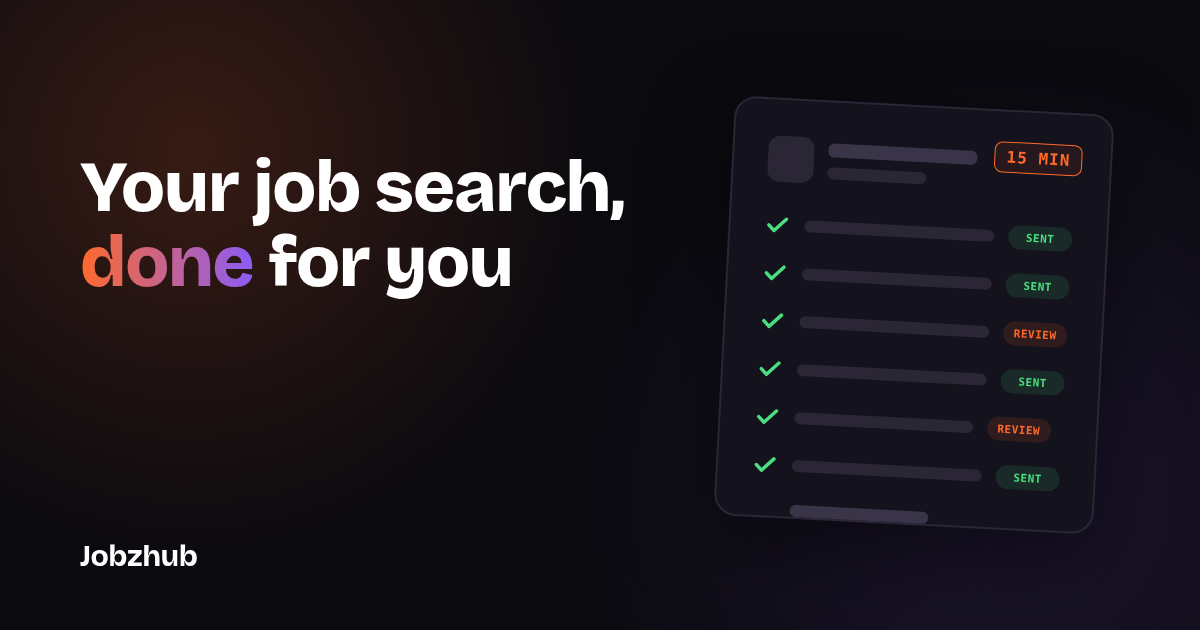
A done-for-you job search hands the repetitive work (finding roles, tailoring your resume, applying and tracking) to software, so you can apply for jobs while you sit and work your current one. You still approve targets, check screening answers and do the interviews. Set up well, it takes about 15 minutes a week.
If you've got a job, a commute and maybe kids, "spend two hours a night on applications" isn't advice. It's a fantasy. Most working professionals who don't have time to job hunt don't lack motivation. They lack hours. Here's what a done-for-you setup can realistically take off your plate, what it can't, and how to run a quiet search without your manager noticing.
What is a done-for-you job search?
A done-for-you job search is any setup where software does the legwork of applying: finding roles, tailoring your resume, filling in forms and keeping a record. A few related terms:
- Auto-apply: the part that actually submits applications for you, based on rules you set.
- Approval before send: an optional setting where each application waits for your OK before it goes out.
- Screening (knockout) question: a yes/no or multiple-choice question on an application that can reject you automatically.
- Application log: a record of where you applied, which resume version went and every answer submitted.
There are roughly two flavors:
| Option | Who does the work | What you still do | Typical trade-off |
|---|---|---|---|
| Auto-apply software with review | Software finds, tailors and submits | Set rules, approve or skip, check answers | Lower effort, you control quality |
| Fully automated bots | Software submits with no review | Very little, until something goes wrong | Least effort, least control |
The first option is where most busy professionals land. You get the time savings without letting a bot send a mismatched resume to your dream company at 2 a.m. If you want the deeper mechanics, we covered them in our guide on how to auto apply for jobs without hurting your chances.
Can software really apply for you without hurting your chances?
Yes, if the applications look like you wrote them for that job. Recruiters don't reject candidates for using tools. They reject resumes that don't match the role, answers that contradict the resume, and the same person applying to five openings at one company within minutes.
So the question isn't "should something apply for me?" It's "will what it sends be accurate and tailored?" A tool that sends one generic resume to 200 loosely related postings is doing volume, not a job search. One that adjusts your resume to each description, answers screening questions from rules you set, and logs exactly what went out is doing the work you'd have done on a good day.
Two things decide which one you get:
- Tailoring per job. Does each application get a resume adjusted to that posting's skills and wording, or the same file everywhere?
- Your answers, not guesses. Are knockout questions ("Are you authorized to work in the US?", "Will you now or in the future require sponsorship?") answered from your saved answers, or improvised?
What can you safely hand off in a done-for-you job search?
Here's the honest split. The first list is tedious and rules-based, so software is good at it. The second needs you.
Safe to hand off:
- Finding roles. Scanning job boards every day for titles, locations, salary floors and seniority that fit. This is the biggest time sink and the easiest to automate.
- Filtering for fit. Dropping roles that need a clearance you don't have, sponsorship the employer won't offer, or a relocation you've ruled out.
- Tailoring your resume. Reordering bullets and matching the job's language to your real experience. It shouldn't invent skills. If you want a solid base to start from, grab our free resume template.
- Filling out forms and submitting. Retyping your work history into the twentieth applicant portal is nobody's best use of an evening.
- Tracking. A log of where you applied, which resume version went, and the date, so you can follow up and don't double-apply.
Still needs you:
- Approving targets. You decide the titles, companies and salary range. Revisit them every couple of weeks.
- Screening answers. Work authorization, sponsorship, salary expectations, notice period, willingness to relocate. Write these yourself once and check them in the log.
- Cover letters for top roles. For the handful of jobs you really want, write or heavily edit the letter. Our cover letter guide has a structure that works.
- Networking and referrals. A message to a former colleague can do more than ten cold applications. No tool sends that for you.
- Interviews. Obviously. Prep, show up, follow up.
How do you job hunt quietly while you're still employed?
Discretion matters more than speed when you've got a paycheck to protect. A few ground rules:
- Use personal everything. Personal email, personal phone, personal laptop. Company devices and networks can be monitored.
- Don't apply on company time. This is where a done-for-you setup helps most. The software can apply for jobs while you sit and work, and you review on your own time, like on lunch or after dinner.
- Be careful with LinkedIn signals. You can tell recruiters you're open to work without the public green banner. Avoid a sudden flurry of profile edits if your boss follows you. A quiet headline refresh works better; these LinkedIn headline examples show how to do it without shouting "job hunting."
- Exclude your current employer. Most tools let you block companies. Add yours, its subsidiaries and any close partners.
- Schedule interviews smartly. Early morning, lunch or late-afternoon slots are easier to explain. Take calls from somewhere private.
- Keep references quiet. Use former managers and colleagues, not current ones, until you have an offer.
What does a realistic 15-minute weekly routine look like?
Once your profile, targets and screening answers are set (budget an hour for that the first time), the weekly upkeep is small. Here's an example routine:
- Review new matches (5 minutes). Skim the roles found this week. Approve the good ones, skip the rest. If you've turned off approval before each send, skim what was sent instead.
- Check the application log (3 minutes). Spot-check two or three applications: right resume version, right answers to sponsorship and salary questions.
- Adjust targets (2 minutes). Too many junior roles? Raise the seniority filter. Nothing coming in? Widen the location or title range.
- Follow up (5 minutes). Send one or two short notes to recruiters or contacts at companies you applied to and genuinely care about.
That's it. The point isn't to apply to as many jobs as possible. It's to make sure good-fit applications keep going out during weeks when you have zero spare evenings.
If two or three weeks go by with no responses at all, don't just turn up the volume. Fix the resume first. Run it through our free Resume Roast to see your score and the top issues holding it back, and read what a good ATS score really means before you start chasing keywords.
How does Jobzhub handle a done-for-you job search?
Jobzhub was built for working professionals who don't have time to babysit job boards. Here's what it does, plainly:
- Finds roles that fit your skills and visa status. It matches jobs to your resume, and for international job seekers it labels visa sponsorship and matches by visa status, so you're not applying to roles you can't take.
- Tailors your resume to each job description. Based on your real experience.
- Auto-applies for you. Approval before each send is an optional setting. Turn it on if you want to see every application first, or off if you'd rather review the log afterward.
- Tracks every application in one place, so you know what went where.
Pricing is simple. The free SCOUT plan lets you search jobs, build one untailored resume and run the Resume Roast, but it doesn't include auto-applies. RANGER is $19.99 a month with 100 auto-applies a month, and you can add 100 more for $10. GOD MODE is $49.99 for 3 months with 300 auto-applies and full autopilot. Details are on our pricing page.
What it won't do: promise you interviews or a job. Nothing honest can. What it can do is make sure the applications you'd send if you had the time actually get sent, tailored and logged.
Is a done-for-you job search worth it for busy professionals?
It depends on what's slowing you down. If you know what you want and your resume is strong, but you never find the hours to apply, handing off the busywork is a clear win. If your resume isn't landing responses, automation just spreads the problem faster. Fix that first.
A few signs it's a good fit:
- You're employed and can only give the search an hour or two a week.
- Your target roles are fairly clear (a title family, a salary floor, a location or remote).
- You're comfortable writing your own screening answers once and checking them regularly.
A few signs to hold off:
- You're changing careers and need a lot of custom storytelling per application.
- You're aiming at a short list of specific companies. Apply to those yourself, ideally with a referral.
- You haven't decided what you want yet. Software amplifies a direction. It can't choose one.
For context on how applicants are faring this year, our roundup of job search statistics for 2026 is a useful read. International candidates should also check our explainer on the H-1B $100K fee before setting sponsorship filters.
How do you get started this week?
Keep it small:
- Update your resume and pick two or three target titles.
- Write your screening answers: authorization, sponsorship, salary range, notice period, relocation.
- Block your current employer and anyone close to it.
- Turn on approval before each send for the first couple of weeks, until you trust what's going out.
- Put a recurring 15-minute slot in your personal calendar.
A done-for-you job search won't do the interviewing for you, and it shouldn't make decisions you care about. But it can take the grind off your evenings while you keep doing the job that pays the bills. When you're ready, Get Started with Jobzhub and start free with SCOUT.